Export packing and identification
Shipping marks on cartons: a practical guide for exporters
A useful carton mark lets someone holding one box find the matching entry in your shipment records. That is the practical test: can the warehouse identify the goods, distinguish this carton from its neighbours, and check the reference without guessing?
This guide covers ordinary identifying marks, handling messages, carton and pallet examples, and a review workflow. The examples are fictional. Confirm shipment-specific instructions with your buyer, forwarder or receiving warehouse.
1. What is a shipping mark?
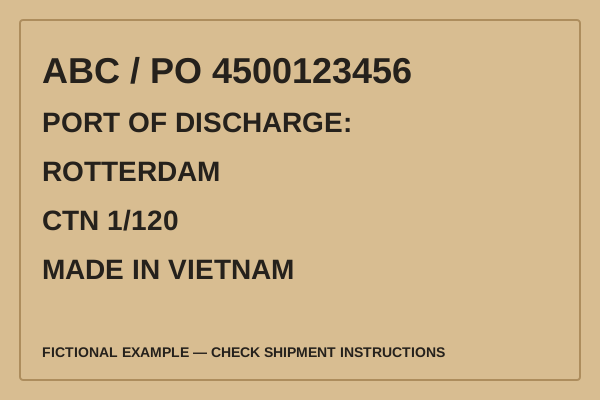
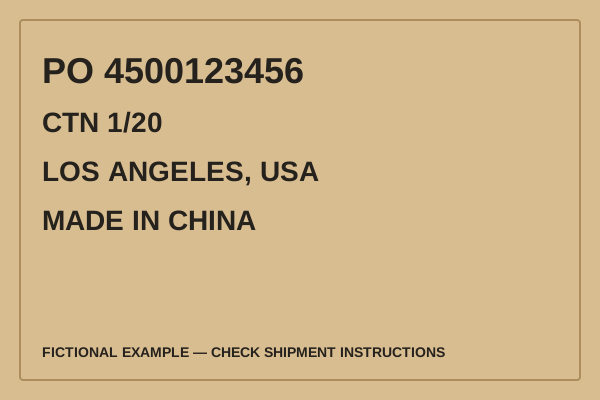
A shipping mark is identifying text or a symbol placed on a shipping package to connect it with a particular order, shipment or receiver. On an export carton it commonly combines a buyer reference, destination and carton number. Depending on the instructions, it may also show product references, weights, dimensions or origin.
- Shipping mark
- The identifying information: for example, a buyer code, PO and CTN number.
- Carton marking
- The broader activity or result of marking a box. It can include identification, handling messages and other applicable marks.
- Carton label
- The label carrying information. A printable carton-label layout does not automatically become a carrier label or an official marketplace label.
Keep that distinction when choosing a tool. You may need an ordinary carton mark plus separate transport or platform labels. Making the ordinary mark look professional does not remove those other requirements.
2. Four useful categories of carton marks
These categories help organize the review; they are not a universal legal classification. One carton can carry more than one category.
Main mark: identify the shipment
The main or front mark usually emphasizes the buyer’s agreed code, an order or shipment reference, the destination and a carton number. Use references that the receiving team actually recognizes. An internal factory nickname is less useful if it never appears in the buyer’s records.
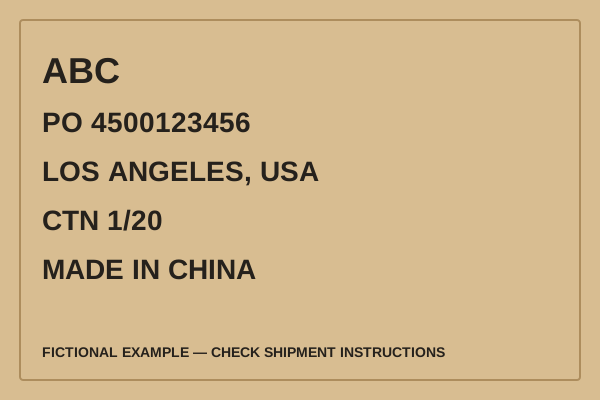
Side mark: describe the packed box
A side mark often groups gross weight, net weight and outer dimensions. Repeat the carton number when that helps connect two marked faces of the same box. Keep units next to the values. A number such as “25.5” alone does not say whether it represents kilograms, pounds or something else.
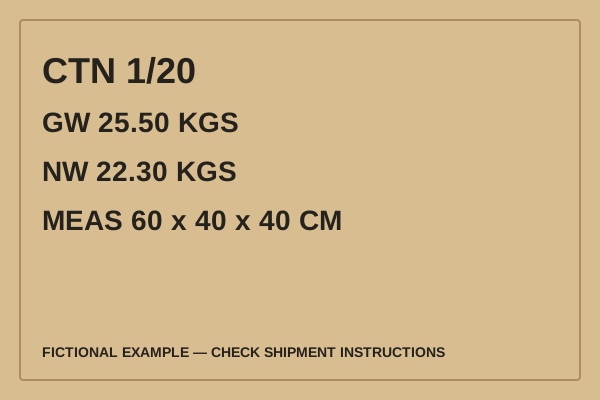
Handling marks: communicate care instructions
Orientation, protection from moisture and fragile-handling symbols communicate how a package should be handled. ISO 780 describes graphical symbols for handling and storage of distribution packages; its scope excludes instructions specific to dangerous goods. Use symbols that apply to your cargo and the requested artwork. See the ISO 780 public scope.
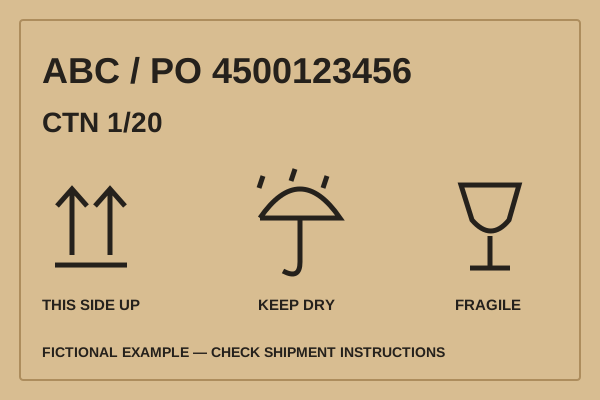
Dangerous-goods marks and labels: a separate specialist review
Do not create or substitute hazard labels by adapting an ordinary shipping-mark example. Classification, packaging, marks, labels and documents depend on the goods and transport rules. The U.S. Department of Transportation’s shipping hazmat introduction explains the shipper’s responsibilities. Have the appropriate qualified person review a potentially regulated shipment, including products containing batteries or other materials that may need special treatment.
3. Which fields should you check?
Begin with the marking instructions for the order. Use the following as a review list, rather than a rule that every field must appear on every box:
- Buyer or consignee mark: the agreed code or identifying text. Confirm whether the receiver permits a logo, a seller name or only a neutral reference.
- Order or shipment reference: a PO, booking or other reference also present in the shipment records. Preserve meaningful leading zeroes and punctuation.
- Destination: the agreed city, port or receiving reference. A port name is not a full delivery address and cannot replace the carrier’s label.
- Carton number: the current physical box and the total in the agreed numbering group. Finalize the total after packing.
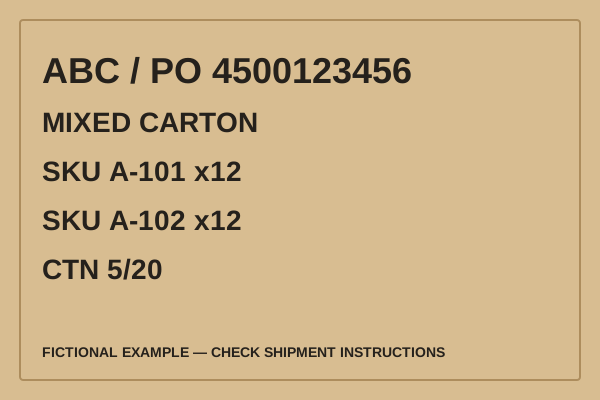
- Product and quantity: enough detail for the receiving process. For mixed cartons, identify each product allocation instead of suggesting that every box contains the same item.
- Weights and dimensions: use the packed measurements, identify the units and distinguish net from gross weight.
- Origin and handling information: use the actual applicable wording and instructions, checked against the destination and cargo requirements.
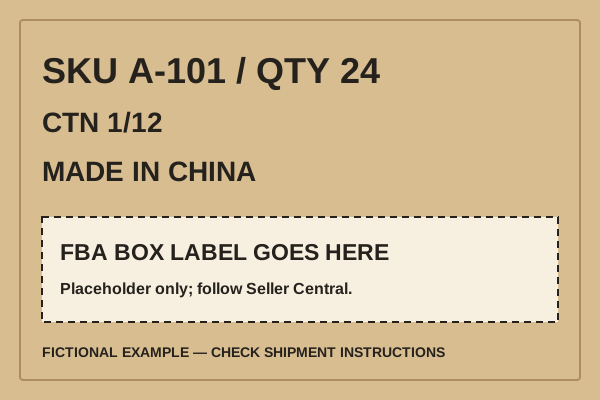
For a fictional order with 20 cartons, “CTN 1/20” belongs to the first carton. If carton 5 contains 12 units of SKU A-101 and 12 units of SKU A-102, show that allocation wherever the buyer’s process requires it. Do not copy a single-SKU sample onto carton 5 just because its total quantity is also 24.
The International Trade Administration’s packing-list explanation describes a list of each package’s contents, weights and measurements. Use your packing list as the carton-level reference: a range row is a total for the range, while an individual label needs the details for that one carton.
4. Carton marking requirements: who decides?
Collect the relevant instructions before designing the layout. The buyer may specify the identifying text; the forwarder or carrier may specify transport labels; the warehouse may need references for receiving; a marketplace may generate its own labels. Destination and product rules can add requirements that a buyer’s sample does not cover.
Write down who supplied each instruction and ask the responsible party to resolve a conflict. For example, a neutral-carton request should not be interpreted as permission to remove a required origin or hazard mark. Keep the approved sample with the order, then check that the packed shipment still matches it before printing the full set.
Country-of-origin marking deserves its own check. For U.S. imports, 19 CFR Part 134 addresses origin marking and exceptions. Confirm the applicable article and container requirements with your importer or broker. This guide does not determine origin, exceptions or compliant wording for a particular product.
Placement also depends on the receiving instructions and package design. Agree which faces must remain visible when boxes are stacked. Do not treat “two sides” or any other example placement as a universal requirement. Inspect a packed sample with its tape, straps and other labels in place.
5. Amazon FBA carton marks and Box ID labels
Your own carton mark and the Amazon FBA box label are separate. A PO, SKU or CTN number helps your team reconcile the shipment, but it does not generate or replace the official Box ID label from the Amazon shipment workflow.
Use the current instructions in Seller Central for the shipment’s labels, format and placement. Keep identifying information legible and check that your ordinary marks do not obscure the required labels. The blank area in our FBA illustration is an explanation of separate purposes, not a specified label position or size.
Before handing the goods to your forwarder, connect the physical cartons, packing-list rows and Amazon shipment references using the actual shipment records. For the commercial documents, start with the FBA invoice and document workflow. That tool prepares a draft; it does not submit box contents to Amazon.
6. Pallet shipping marks
A pallet identifier and a carton identifier describe different levels of the shipment. “PALLET 1/4” identifies one of four pallets; “CTNS 1–40” describes the cartons assigned to it. Check that the packing list or supporting allocation record uses the same grouping.
Record the packed pallet weight and dimensions when requested. Include the pallet and wrapping as appropriate to the measurement being reported, and confirm the receiver’s measurement convention. A carton’s gross weight is not the entire pallet’s gross weight.
Plan visibility after wrapping and loading, following the carrier or warehouse instructions. If cartons are moved between pallets after a draft was approved, revise the pallet allocation and affected marks together. A clear old label is still incorrect if it refers to the previous arrangement.
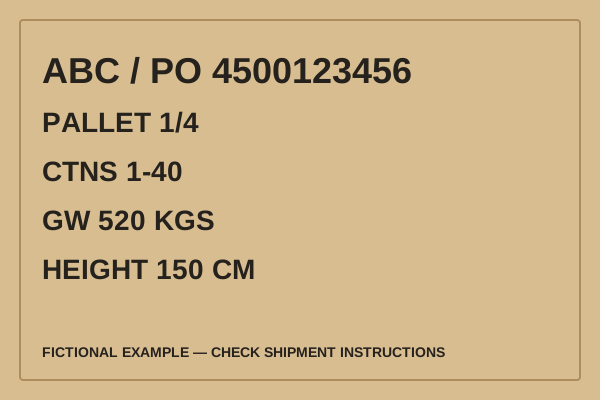
7. Seven common mistakes to check for
- Duplicate or inconsistent carton numbers. Repeating CTN 1/20 on all boxes prevents the number from distinguishing them. Generate a sequence and compare the first, last and any split ranges with the packing list.
- Weights copied from the wrong level. Putting a range total on each carton can make one box appear much heavier than it is. Keep range totals on the packing list and use verified per-carton values on individual marks.
- Mixed contents described as a single product. An identical total quantity can hide a different product mix. In the packing tool, allocate mixed quantities to their goods lines and resolve shortages or excesses before printing.
- Origin copied from a sample. The sample’s country is fictional. Replace it with the actual applicable origin wording and check destination requirements with the importer or broker.
- Unreadable or obstructed information. Small text, low contrast, seams, tape or overlapping labels can make a correct reference hard to use. Review a print at its intended size on the packed carton.
- Visibility assumed from an empty box. A mark that is visible during packing may be hidden when stacked or wrapped. Check the required faces in the actual handling arrangement rather than assuming that one marked face is always enough.
- Unwanted branding on a neutral order. Reused artwork may contain a factory or seller name. Review the complete printed layout against the buyer’s neutral-mark instructions while retaining applicable required marks.
These are review scenarios, not claimed customer incidents or a ranking of failure frequency. Use the invoice and packing-list checker to review entered data, then compare the actual cartons and original documents yourself. A successful field check cannot verify what is inside a physical box.
8. Examples and a practical release check
Choose an example for the task, replace its fictional values, and keep one approved shipment record. Check one actual carton against its mark, then check the last carton and any carton with different contents. For a range of supposedly identical cartons, confirm that the contents and quantities really can be divided evenly.
After a late packing change, repeat the affected checks. Changing a carton total in one document does not prove that saved PDFs, printed labels or a platform shipment were updated. Open the files you will send and compare them with the final record.
Sources checked and scope
Published and sources checked on . Maintained by TradePaper’s individual operator. The links above support the specific source descriptions; the examples and workflow are explanatory guidance, not legal advice or shipment approval. Rules and platform instructions can change.
Related tools: carton labels, packing lists, export document checklist. To suggest a correction or share a question without sending sensitive shipment data, use the contact page.